Building a Seamless Double-Click-to-Edit Component for Mantine
mantine-double-click-editable was recently published to NPM. It’s a small, focused component that gives you predictable, in-place editing with double-click—designed around a single principle: always return clean plain text.
What this does (in brief)
- Double-click to edit; the caret lands exactly where you double-click.
- Pasted content is automatically stripped to plain text (formatting removed).
- The final value is always a string read from
innerText—no HTML, no surprises. - Intentional line breaks are preserved visually with
white-space: pre-wrap.
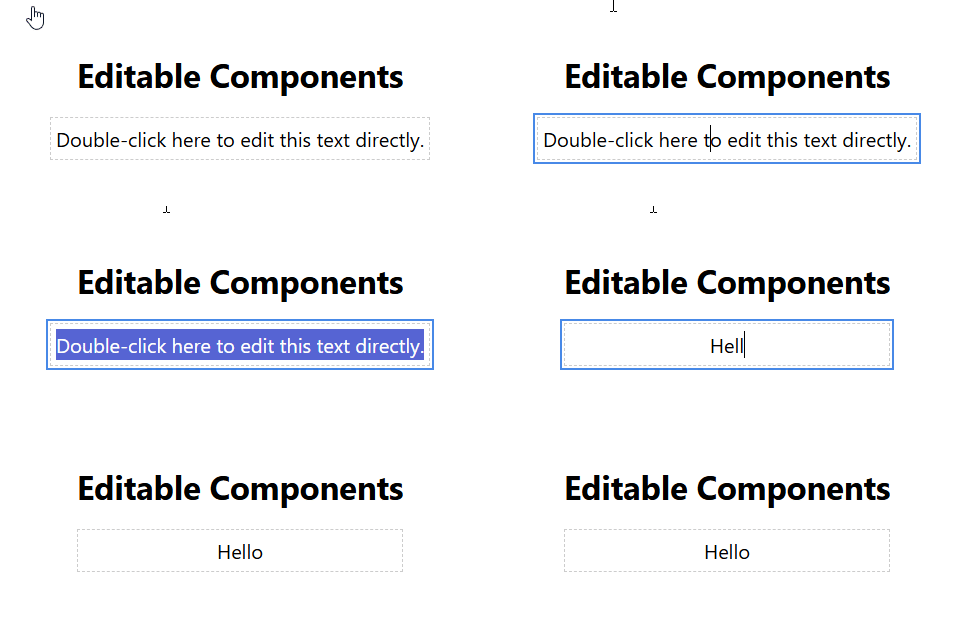
Design goals and rationale
contenteditable can feel magical until it isn’t. The browser turns typed input into DOM fragments, which creates problems around newlines, paste behavior, selection handling, and security. Rather than fight the browser, this component follows a strict plain-text-first approach to simplify data flow and prevent common pitfalls.
Key changes that implement the goal
- Plain-text paste handling: an
onPastehandler consumes clipboardtext/plainand inserts it as text (viaexecCommand('insertText')where supported), preserving the caret while removing markup. - Use
plaintext-onlywhen possible: the element is set tocontentEditable="plaintext-only"in Chromium-based browsers. - Save clean text:
onBlurusesinnerTextsoonSavealways receives a safe string. - Preserve spacing:
style=keeps user-intended line breaks visible.
Code highlights
// Precise caret placement on double-click
const handleDoubleClick = (e: React.MouseEvent<HTMLDivElement>) => {
  setIsEditable(true);
  const { clientX, clientY } = e;

  setTimeout(() => {
    const sel = window.getSelection();
    if (!sel) return;

    if (document.caretRangeFromPoint) {
      const range = document.caretRangeFromPoint(clientX, clientY);
      if (range) {
        sel.removeAllRanges();
        sel.addRange(range);
      }
    } else if ((document as any).caretPositionFromPoint) {
      const pos = (document as any).caretPositionFromPoint(clientX, clientY);
      if (pos) {
        const range = document.createRange();
        range.setStart(pos.offsetNode, pos.offset);
        range.collapse(true);
        sel.removeAllRanges();
        sel.addRange(range);
      }
    }
  }, 0);
};
The problems contenteditable introduces (short version)
- Newline chaos: browsers insert
<div>,<br>, or<p>differently. - Paste pollution: content from Word or web pages brings inline styles and markup.
- Cursor/selection complexity: Selection is a DOM object, not an index — programmatic updates can move it unpredictably.
- Data-flow mismatch with React: direct DOM mutation fights React’s rendering model.
- Security (XSS): saving
innerHTMLwithout sanitizing is dangerous.
Conclusion: If you need rich text, use a proper rich editor. For inline plain-text editing, prefer the plain-text-first approach used in this component.
Using it with Mantine
The component extends Mantine’s Text props, so you still get styling parity and theming:
<DoubleClickEditable c="blue" fw={700} fz="xl" onSave={(content) => console.log('Final text:', content)}>
  Double-click me to see the magic!
</DoubleClickEditable>
Publish & install
Published using Vite (library mode) with vite-plugin-dts. Releases are automated via GitHub Actions.
Source & issues: https://github.com/ypyl/DoubleClickEditable
Install:
npm install mantine-double-click-editable